Your recipe library
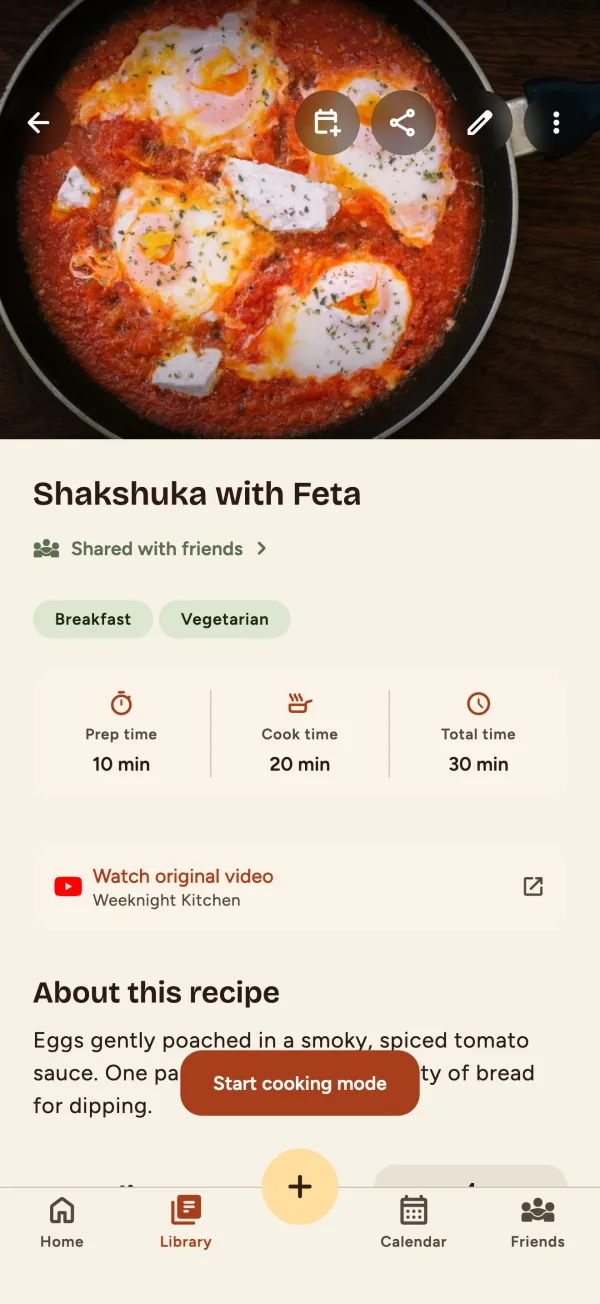
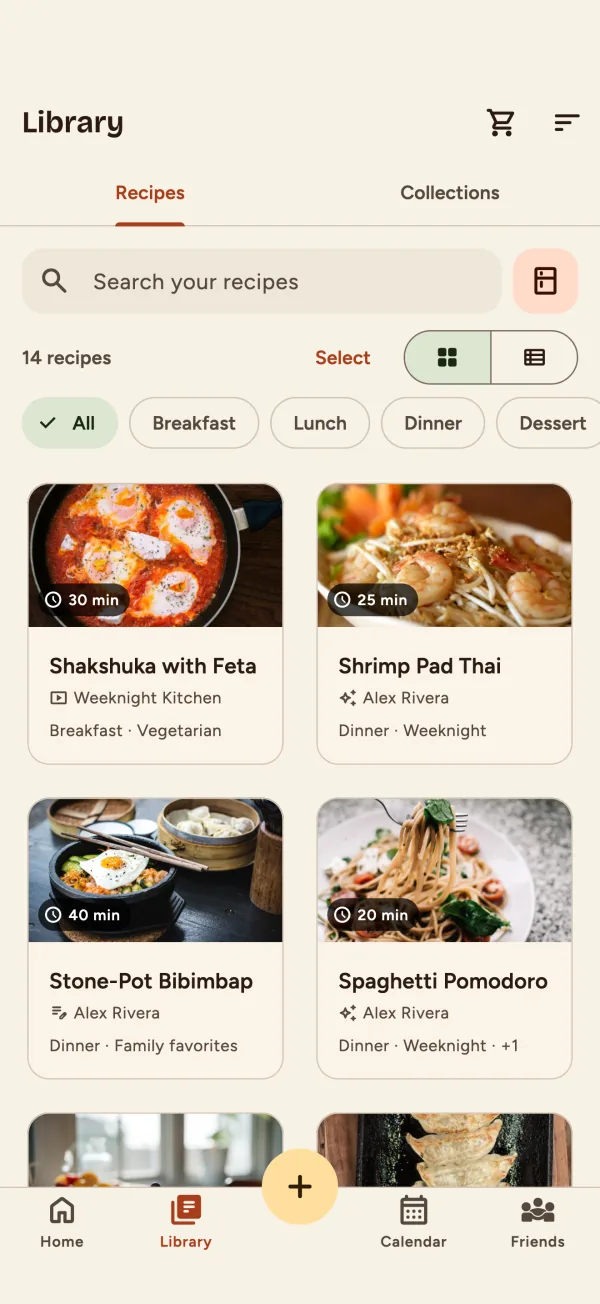
Every recipe you cook, kept in one place.
Describe a dish and Nabe writes the recipe. Paste a YouTube link or pick a cooking video you saved, and it writes one out from the video. Then plan your week, build the grocery list, and cook step by step.
Four ways in
However the recipe reaches you, it ends up in your library.
Describe a dish
Type “chicken adobo for four” and get ingredients, steps and timings back. You review it before it's saved.
Labelled as AI-madePaste a YouTube link
Share a cooking video straight from YouTube. Nabe writes out what the cook actually said and used.
Free on every planPick a saved video
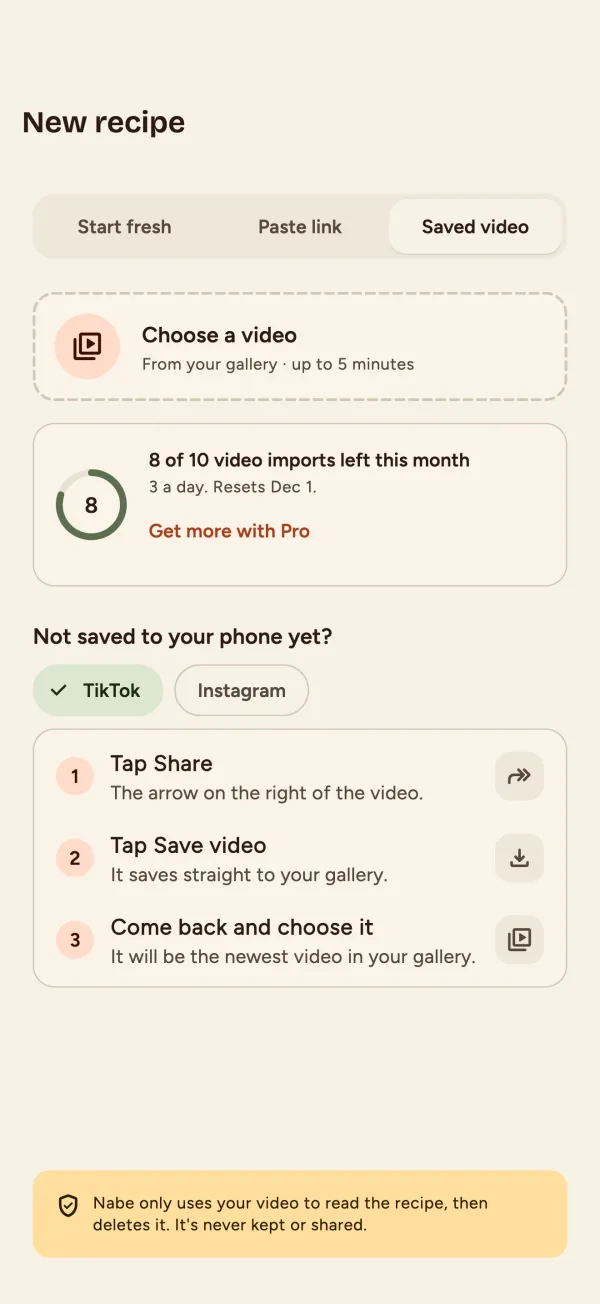
Saved a cooking reel to your phone? Pick it from your gallery and Nabe writes out the recipe, then deletes the video.
Type it in
Grandma's card, a notebook page, the one you know by heart. No link needed.
Coming from another recipe app? Import its export file, a spreadsheet, or recipe pages saved from the web, and keep everything in one place.
Saved videos
That reel you saved is now a recipe.
Save a cooking video with TikTok's or Instagram's own save button, then pick it in Nabe. It watches the video and writes out the ingredients, amounts and steps for you to check.
- Videos up to 10 minutes long, straight from your gallery
- Only used to read the recipe, then deleted. Never kept or shared
- Add the original link to credit the cook
What can I cook?
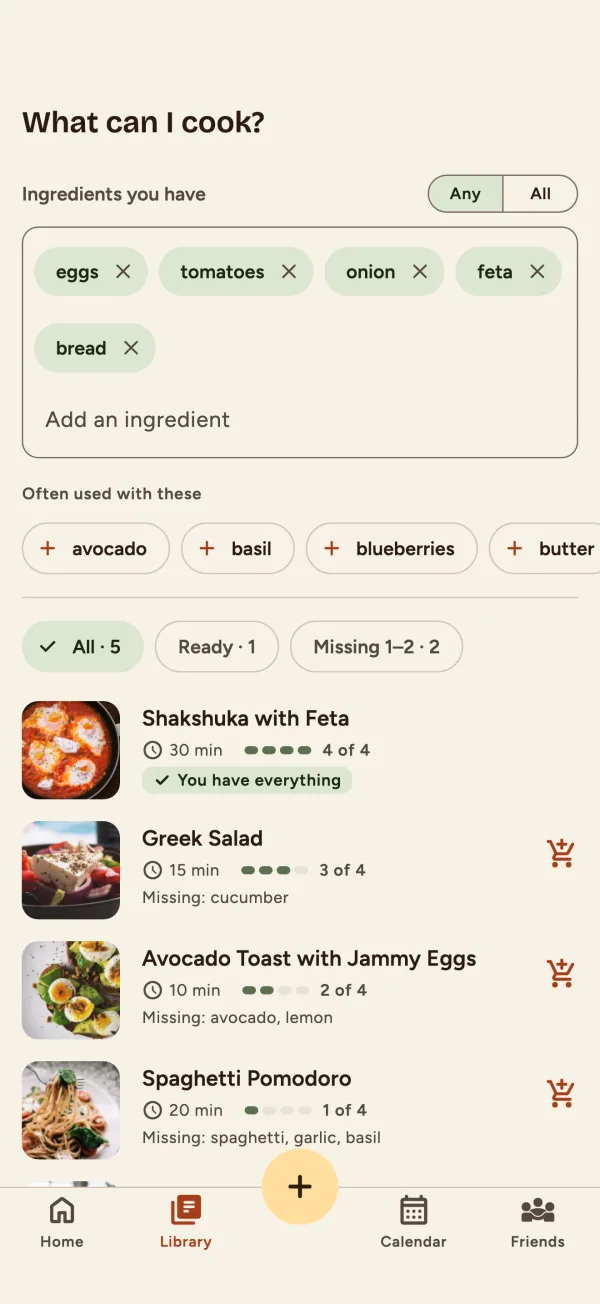
Start from what's in the fridge.
List what you have. Nabe ranks your saved recipes by how much of each you can already make, or writes a new one from those ingredients.
Plan and shop
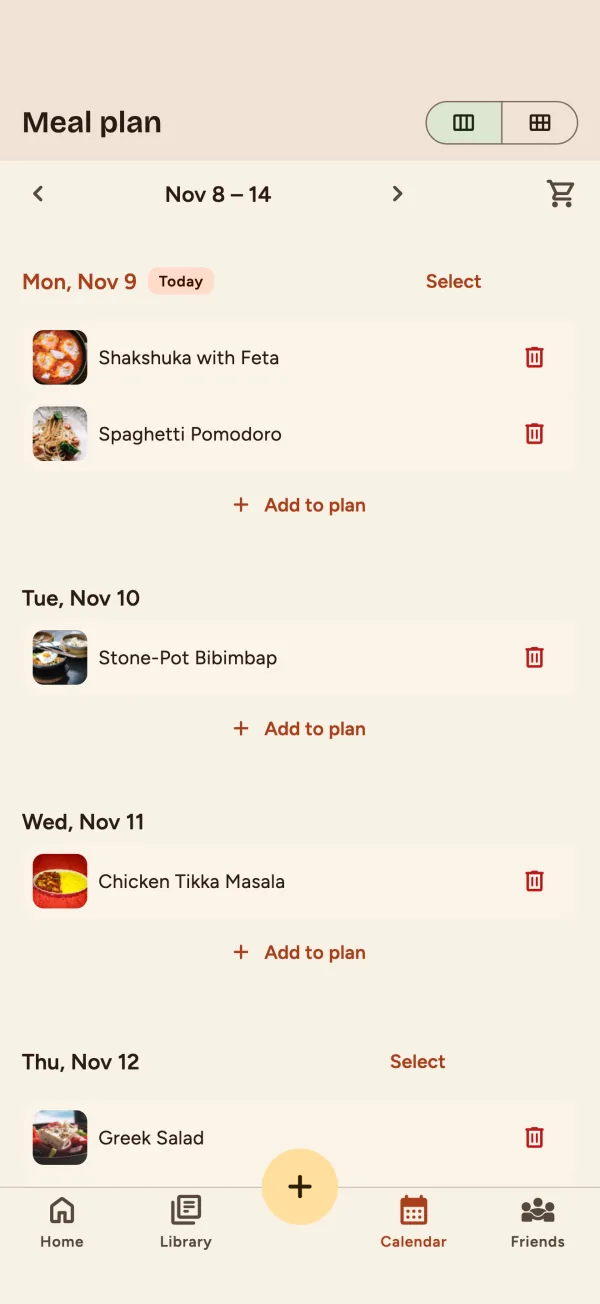
A week of dinners, one grocery list.
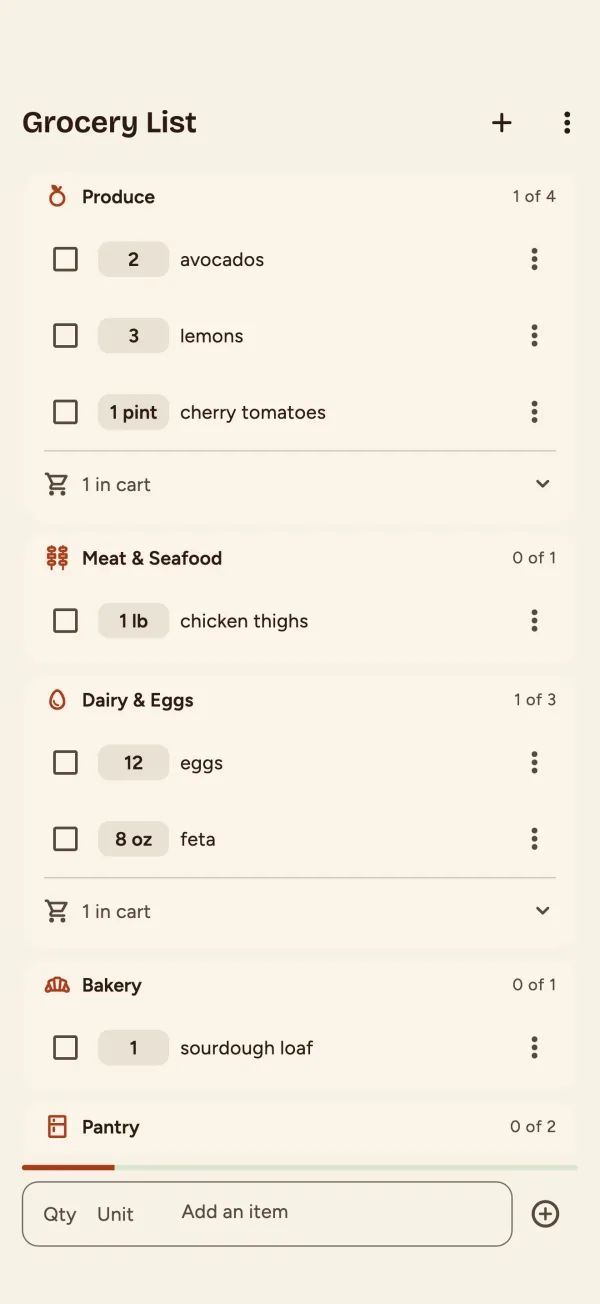
Put recipes on the calendar, or a whole collection on one day, then turn the week into a single list.
- Repeated ingredients combine, with quantities added up
- Grouped by aisle, in the order you walk the store
- Add, edit and tick things off with no signal; it syncs when you're back
Cooking mode
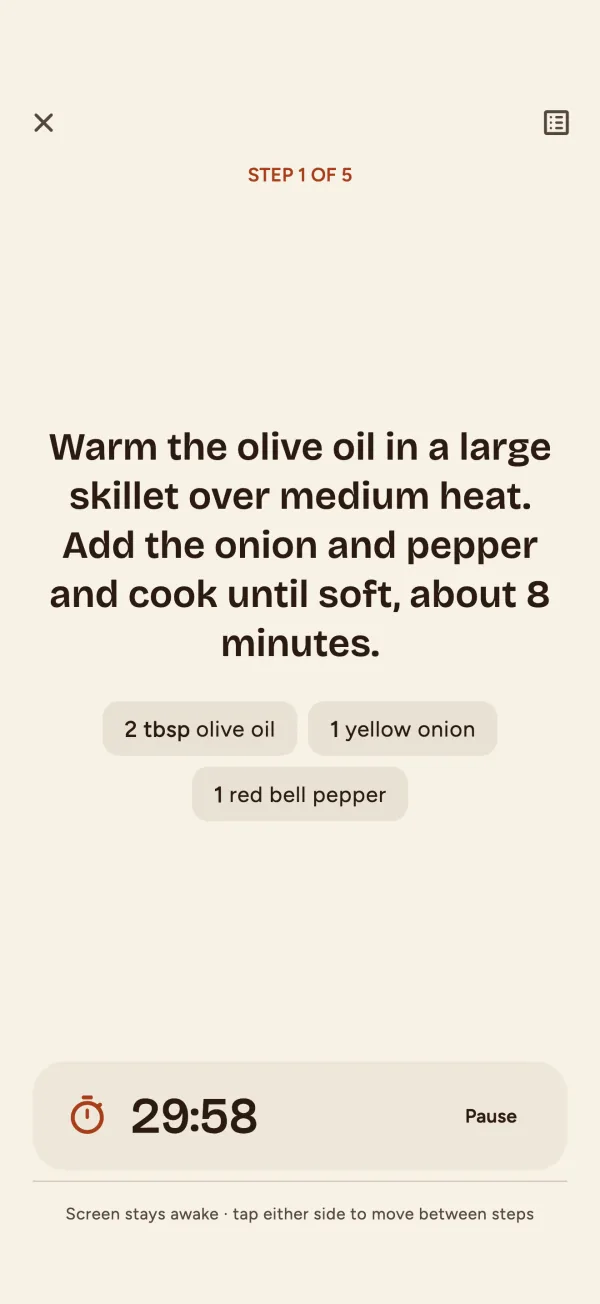
Big type you can read from the stove.
One step at a time, a kitchen timer you can pause with a floury hand, and the screen stays on. Tap either side to move on.
Print and share
Turn a cookbook into something you can hold.
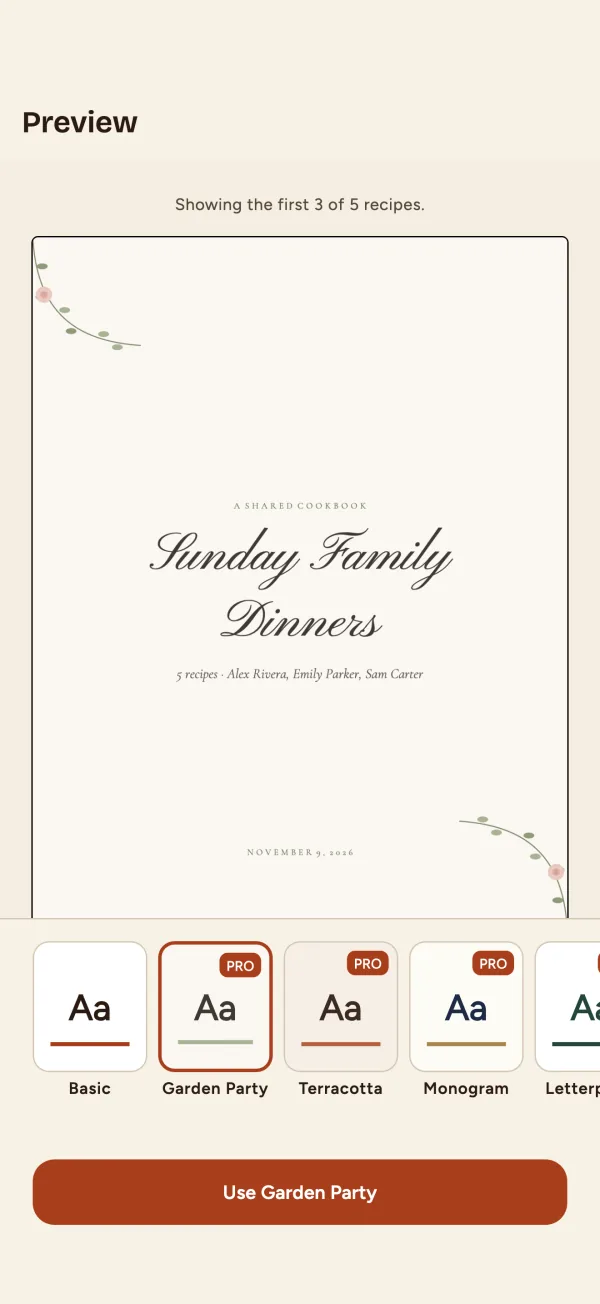
Export a cookbook or collection as a PDF to print, gift, or send round the family. Or make a one-page menu for dinner guests, with the ingredients shown where allergies matter.
- A cover, contents and one recipe per page, on A4 or Letter
- Preview the real pages, built from your own recipes
- Basic theme on every plan, five stationery themes with Nabe Pro
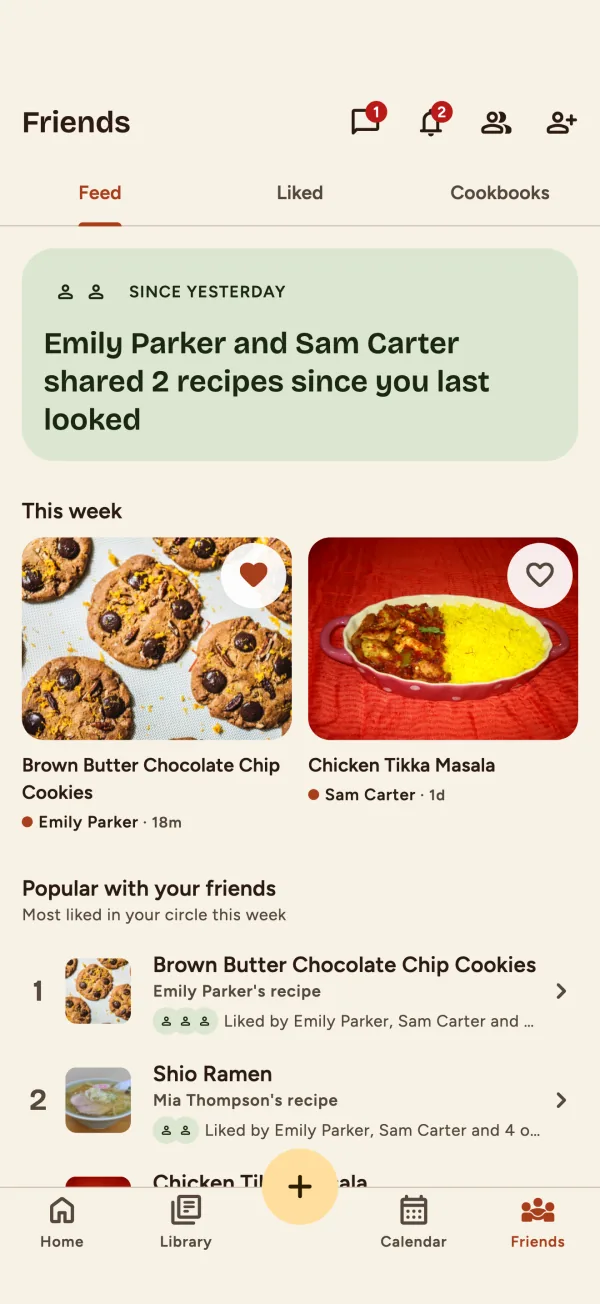
Friends, not followers
Cook with the people you actually eat with.
Add friends with a QR code or a short code, keep a shared cookbook and grocery list, and plan dinner in the chat. No public feed and no strangers.
Made for your kitchen
In your language, in your units.
The app, its AI recipes and ingredient search all work in six languages, with Chinese in both Simplified and Traditional characters. Quantities show in metric or US units, in light or dark mode.
- English
- Español
- 简体中文
- 繁體中文
- 日本語
- 한국어
- Bahasa Melayu
Plans
Free to cook with. Pro when you want more.
Free
Everything in Nabe, including meal planning, grocery lists, cooking mode and friends.
- 30 AI recipes a month, up to 5 a day
- 10 saved-video imports a month, up to 3 a day
- 10 photo scans of paper recipes a month, up to 3 a day
- Save up to 100 recipes
- Start up to 200 shared cookbooks, the same as Pro, and join as many as you like
- PDF export in the Basic theme
Nabe Pro
A monthly or yearly subscription, managed through the App Store or Google Play.
- Priority AI lane: dedicated capacity for AI recipes, with fewer busy-hour interruptions
- Up to 200 AI recipes a month, with no daily limit
- Up to 50 saved-video imports a month, with no daily limit
- Up to 50 photo scans a month, with no daily limit
- Nabe AI: change any recipe just by saying how
- Save up to 2,000 recipes
- Every PDF theme, with no Nabe footer
YouTube imports are the same on every plan: up to 5 a day and 30 a month. AI limits are subject to fair use and service availability. Prices are shown in the app.
Your next dinner starts in the library.
Questions? support@naberecipes.com